Corporate Flight Departments · Part 91
Your flight department, run from one system.
Trip requests, scheduling, crew and costs in one system, shaped around how your department works. Most of it is already built, so you go live fast.
Real Vanilla screens · demo data
Every part of a flight department.
Real Vanilla screens, on demo data. Pick an area.
Schedule
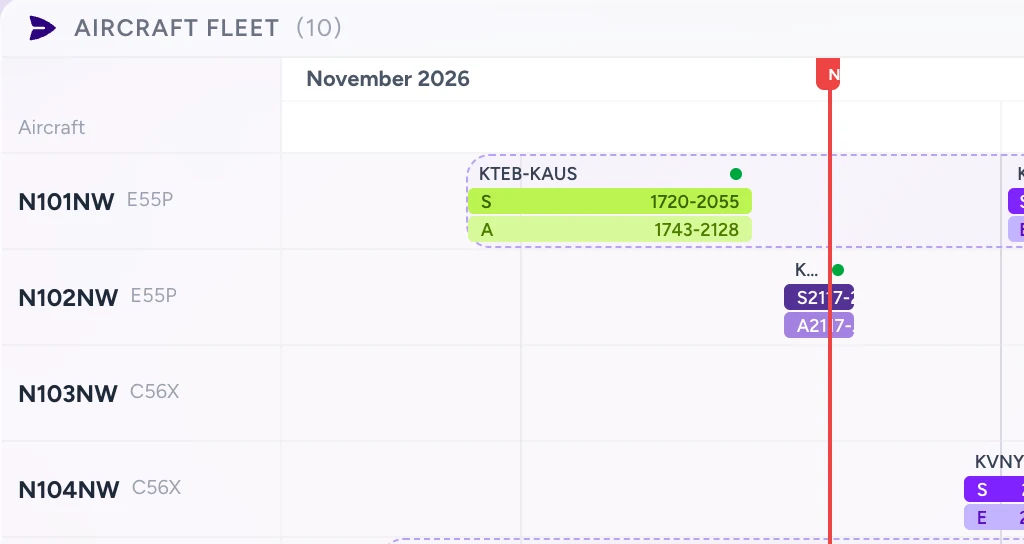
Every aircraft and every crew member, on one timeline.
- Filter by status, type or aircraft
- Every aircraft’s trips, by the day or the week
- Each leg on its aircraft, with its route and times
- Crew duty and rest on the same board

Trips
Every trip, its legs and its passengers.
- Each trip by customer and aircraft
- The purpose of every trip
- Legs and passengers, counted
- Planned dates at a glance

Crew
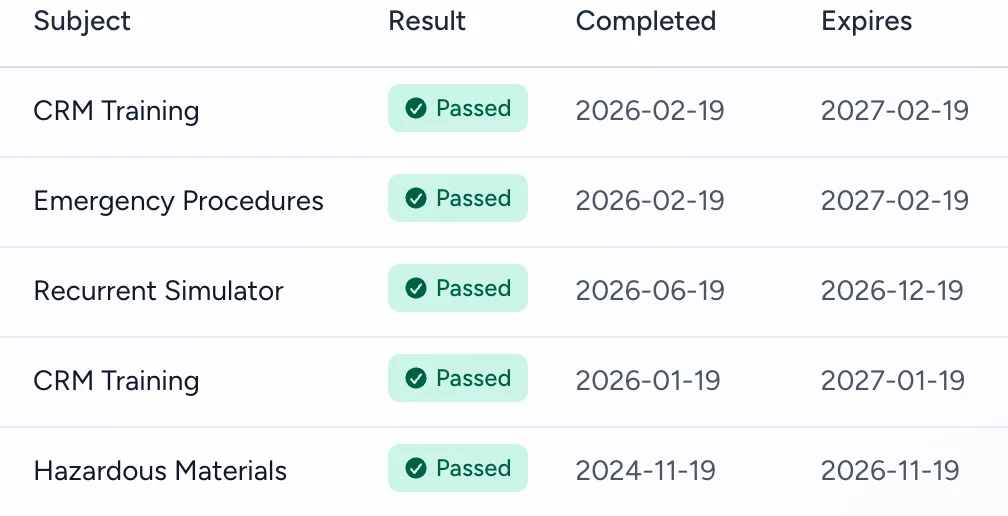
Training and checks, on record.
- Line checks, simulator, classroom and online training
- What each one covered
- Passed, when, and when it is due again
- Who ran it

Maintenance
Airworthiness directives, never missed.
- Every directive against every aircraft
- Compliant, pending or overdue at a glance
- When it was complied with, and when it is next due

Passengers
Ground transport for every passenger.
- Each transfer by flight and type
- Pickup and drop-off for every one
- Filter by status or type

Costs
What the department costs, month by month.
- Total costs, and cost per flight hour
- Every month side by side
- Filter by date range, aircraft or customer

Fleet use
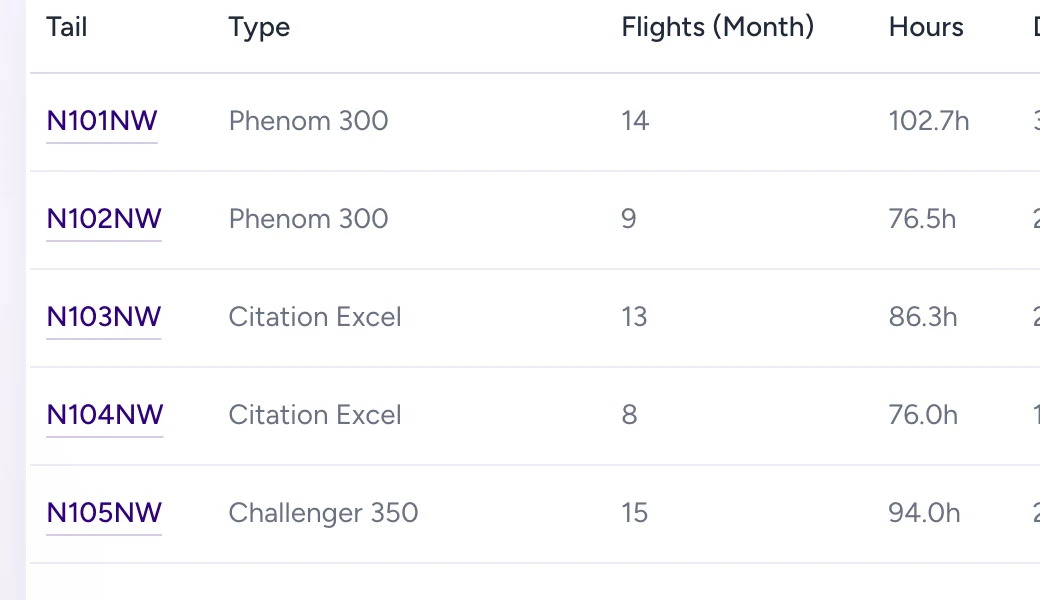
How much every aircraft flies.
- Flights this month and average utilisation
- Flights, hours and distance by aircraft
- Utilisation for every aircraft
- The most active aircraft

Everything in Vanilla for a flight department.
Every module here is in Vanilla today, and we shape each one around how you work. You own the code and the data.
32
modules in Vanilla
- Trip planning
- Flight timeline
- Operations Center
- Dispatch
- Post-flight logs
- Roster
- Duty records
- Qualifications
- Training
- Medicals
- Aircraft
- Work orders
- Maintenance schedules
- Tech log
- AD and SB compliance
- Life-limited parts
- Safety reports
- Risk assessments
- Safety actions
- Documents
- Document compliance
- Regulatory schemes
- Catering
- Transport
- Permits
- Ground handlers
- Financial analytics
- Fleet utilisation
- AI assistant
- Scheduled reports
- Owner portal
- Team chat
38
AI tools, built in
Ask Vanilla’s assistant in plain words, and it answers and acts with these tools, on your own data, in your own instance.
- Trip building and legs
- Flight updates and status
- Trip sheets, as PDF
- Passengers and their profiles
- Permits
- Hotels, transport and catering bookings
- Fuel planning
- Weight and balance
- Airport suitability for the aircraft
- METAR
- TAF
- NOTAMs
- Sunrise and sunset
- Crew assignment and FTL checks
- Crew qualifications, medicals and duty
- Handler search, comparison and booking
- Handling fees
- Airport fees and taxes
- Fuel prices, SAF included
- Catering cost estimates
- Costs and revenue per flight
- Cost and profitability analysis
- Maintenance and airworthiness
- Safety reports
- Fleet analysis
- Document expiry and compliance
- Regulatory scheme compliance
- Emissions: CORSIA, ETS, EPA, DEFRA
- Route analysis
- Trends over time
- Search across everything
- Knows the page you are on
- Times in any timezone or airport
- Calculations
- Unit conversion
- Charts from your data
- Answers from your own data, read-only
- Query checking
25
systems we connect
Your current tools stay. We connect your system to the ones you run as part of tailoring it.
- CAMP
- Traxxall
- Veryon
- ForeFlight
- RocketRoute
- EuroFPL
- Universal Weather & Aviation
- JETEX
- FlightBridge
- Centrik
- MINT Software Systems
- TrainingPort
- PULSAR
- eAPIS (CBP)
- Entry/Exit System (EES)
- ETIAS
- CANPASS
- QuickBooks
- MySky Spend
- Microsoft Dynamics
- FuelerLinx
- Avfuel
- World Fuel Services
- Egencia
- Teleport
For your IT team.
- Your own instance
- In your company’s environment or run by us. No shared platform, and no other customer’s data beside yours.
- Single sign-on
- Your team signs in with the company account they already use.
- A security review, answered
- We walk your IT and security team through how it is built, hosted and protected, before anything goes live.
Can we move from our current scheduling system and keep our history?
Your aircraft, crew, passengers and trip history can come with you. We plan the move together, so the new system starts with your department already in it.
Will our IT team approve it?
We expect them to ask, and we answer them directly. It runs as your own instance, in your company’s environment or run by us, and we walk them through how it is built, hosted and protected.
How fast can we go live?
Fast, because most of what a flight department like yours needs is already built. On the call we look at what you need on top of it, and give you a date.
Is it really ours?
Yes. You own the code and the data, and the system changes when and how you decide.